Picksights
Printers · Home Office

Best Printer for Home Office

Updated 2026-07-291 min read

The short answer

The Epson EcoTank ET-4800 is the only one of the three with an automatic document feeder, fax and Ethernet — the complete package for a home office, and it still uses tank ink for running cost. The ET-2803 is the answer if you don't need those three specific features.

The same catalog as our main comparison, reordered around what an office actually needs: an automatic document feeder for scanning stacks of paper, fax for paperwork that still requires it, and Ethernet so you're not dependent on Wi-Fi. Only one of the three has all three.

Picksights may earn a commission if you buy through links on this page. This never affects which products we rank higher — our Picksights Score is calculated from published specs before any affiliate relationship is considered.

As an Amazon Associate, Picksights earns from qualifying purchases.

Top pick

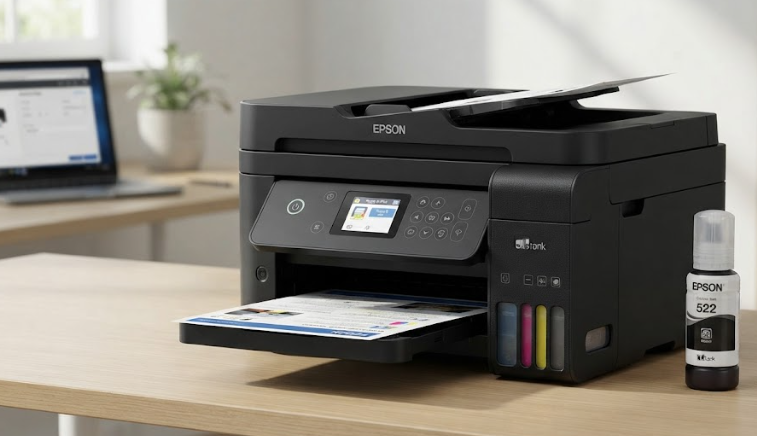
Epson Epson EcoTank ET-4800

Epson

Number 1: Epson EcoTank ET-4800

PS8.7/10

Best for a home office

The one to buy if the printer has a job rather than a corner. The document feeder alone changes what you can do with it — scanning a stack instead of a page at a time — and it is the only machine here with Ethernet. It also costs the most up front, which is exactly the number you should be ignoring: on Consumer Reports' own modelling, a $128 cartridge printer overtakes this on total cost inside the first year and keeps going.

Pros

  • Bottled ink costs a fraction of cartridge ink per page — the whole argument for buying a tank printer
  • Automatic document feeder and Ethernet, which the cheaper tanks here leave out
  • Fax and copy included, so it replaces an office multifunction outright

Cons

  • The highest purchase price of the three, which is the number most shoppers compare
  • Photo output is competent rather than a reason to buy it
  • Tank printers need occasional use or the print head can clog

From $219.99Approximate — prices change

See current price(opens in a new tab)

Sources: Consumer Reports (laboratory testing and cost-of-ownership modelling) (2026-06-24) · TechRadar (standardised test across 200+ printers) (2026-07)Last checked by Picksights 2026-07-29

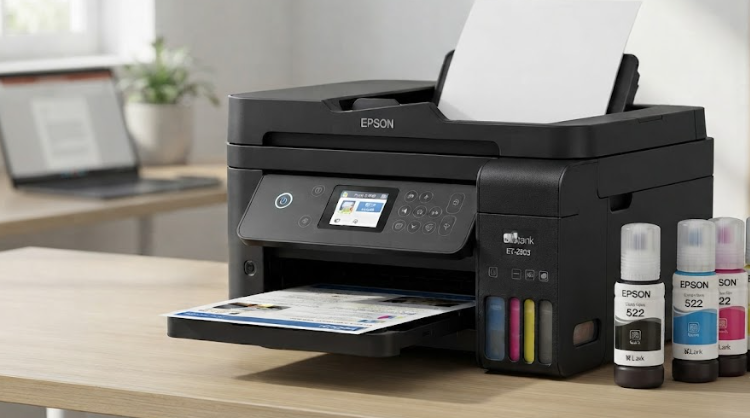
Epson Epson EcoTank ET-2803

Epson

Number 2: Epson EcoTank ET-2803

PS8.4/10

Best for most homes

The default recommendation for a house rather than an office. It does the three things households actually need — print, scan, copy — and it does them with the ink economics that make tank printers worth the higher sticker. You give up the document feeder, which matters only if you regularly scan stacks of paper. If you do, spend the extra $40; if you do not, this is the one.

Pros

  • Around two years of ink in the box, so the first refill is a long way off
  • The cheapest genuine tank printer here, and the running-cost advantage is identical to the pricier model
  • Simple enough that it is the sensible default for a household

Cons

  • No document feeder — scanning multiple pages means feeding them one at a time
  • No fax or Ethernet
  • Colour output is adequate rather than good

From $179Approximate — prices change

See current price(opens in a new tab)

Sources: RTINGS printer testing (2026) · TechRadar (standardised test across 200+ printers) (2026-07)Last checked by Picksights 2026-07-29

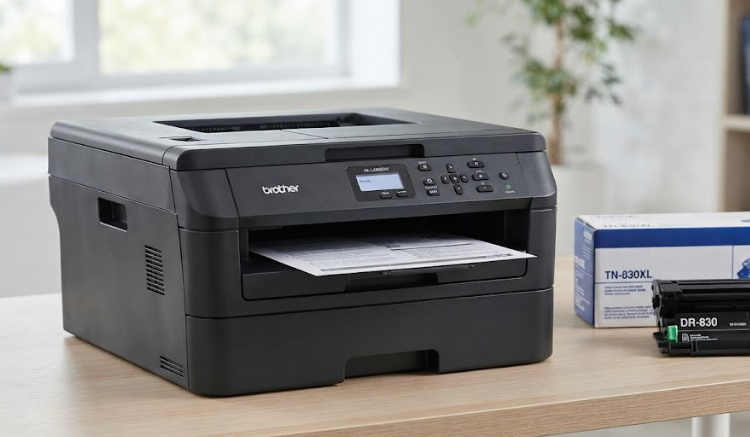
Brother Brother HL-L2465DW

Brother

Number 3: Brother HL-L2465DW

PS8.2/10

Best if you never print in colour

The honest answer for a large number of people who buy colour printers and never print in colour. Consumer Reports' position is blunt: if you do not need colour, buy a mono laser, because they are far more reliable. And the reason matters — toner does not dry out, so this survives being ignored for three months, which is exactly what kills an inkjet. Print one photo a year at a shop and you will still be ahead.

Pros

  • Consumer Reports' testing finds lasers markedly more reliable than inkjets, which is the complaint most printer owners actually have
  • Toner does not dry out, so it survives months of not being used — the failure mode that kills inkjets
  • Crisp text at speed, with automatic two-sided printing

Cons

  • No colour whatsoever, which rules it out for anyone printing photos or school projects
  • Per-page cost is higher than bottled tank ink, though far below cartridges
  • No fax or document feeder

From $169.99Approximate — prices change

Sources: Consumer Reports (laboratory testing and cost-of-ownership modelling) (2026-06-24) · TechRadar (standardised test across 200+ printers) (2026-07)Last checked by Picksights 2026-07-29

Frequently asked questions

Do I actually need fax in 2026?

Less than you used to, but certain administrative, legal and medical paperwork still requires it. If your work never touches it, that's not a buying reason on its own — but it comes included on the ET-4800 at no extra cost over the ET-2803.

Why does Ethernet matter for an office and less for an ordinary home?

A wired connection is more stable than Wi-Fi when several office devices are printing at once, and it removes any dependence on being near the router. For occasional home use, the other two printers' Wi-Fi is enough.

Does the Brother HL-L2465DW work for a home office?

It works if your office doesn't print in color and values reliability over features — it's a mono laser with no ADF or fax. For pure text documents it's a solid, low-maintenance choice; for regularly digitizing paper contracts or invoices, the missing ADF is a real gap.

Looking for the best overall value instead? See our full printer ranking →

Also worth a look