Picksights
Impresoras · Estudiantes

Mejor impresora para estudiantes

Actualizado 2026-07-291 min de lectura

La respuesta rápida

La Epson EcoTank ET-2803 es la respuesta para la mayoría de estudiantes: la más barata de las tres, con unos dos años de tinta incluida. Si no necesitas color casi nunca y valoras que sobreviva meses apagada entre semestres, la Brother HL-L2465DW es la alternativa más resistente al olvido.

Mismo catálogo que nuestra comparativa principal, reordenado alrededor del patrón real de uso de un estudiante: presupuesto ajustado, sobre todo texto, y semanas o meses sin encenderla entre semestres. Eso cambia qué máquina gana frente al ranking general.

Picksights puede recibir una comisión si compras a través de los enlaces de esta página. Esto nunca afecta a qué productos puntuamos más alto — nuestro Picksights Score se calcula a partir de especificaciones publicadas antes de considerar cualquier relación de afiliación.

Como afiliado de Amazon, Picksights obtiene ingresos por las compras que cumplen los requisitos aplicables.

Mejor opción

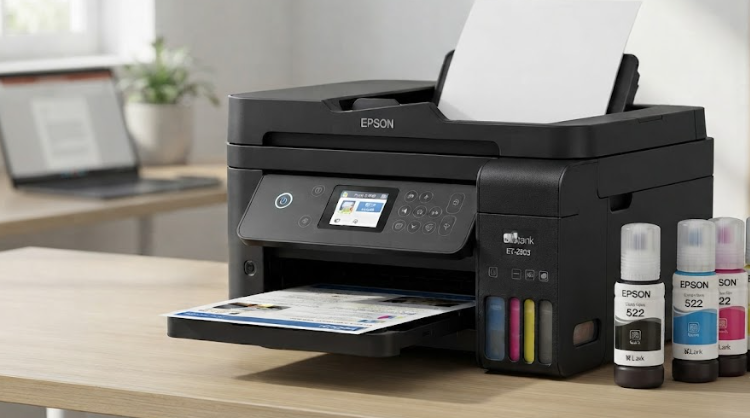
Epson Epson EcoTank ET-2803

Epson

Número 1: Epson EcoTank ET-2803

PS8.4/10

Best for most homes

The default recommendation for a house rather than an office. It does the three things households actually need — print, scan, copy — and it does them with the ink economics that make tank printers worth the higher sticker. You give up the document feeder, which matters only if you regularly scan stacks of paper. If you do, spend the extra $40; if you do not, this is the one.

Ventajas

  • Around two years of ink in the box, so the first refill is a long way off
  • The cheapest genuine tank printer here, and the running-cost advantage is identical to the pricier model
  • Simple enough that it is the sensible default for a household

Contras

  • No document feeder — scanning multiple pages means feeding them one at a time
  • No fax or Ethernet
  • Colour output is adequate rather than good

Desde ≈€165Aproximado — el precio puede variar

Fuentes: RTINGS printer testing (2026) · TechRadar (standardised test across 200+ printers) (2026-07)Última revisión de Picksights: 2026-07-29

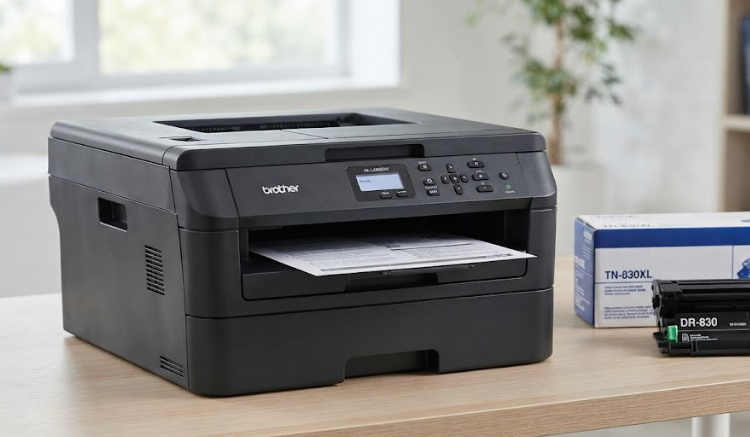
Brother Brother HL-L2465DW

Brother

Número 2: Brother HL-L2465DW

PS8.2/10

Best if you never print in colour

The honest answer for a large number of people who buy colour printers and never print in colour. Consumer Reports' position is blunt: if you do not need colour, buy a mono laser, because they are far more reliable. And the reason matters — toner does not dry out, so this survives being ignored for three months, which is exactly what kills an inkjet. Print one photo a year at a shop and you will still be ahead.

Ventajas

  • Consumer Reports' testing finds lasers markedly more reliable than inkjets, which is the complaint most printer owners actually have
  • Toner does not dry out, so it survives months of not being used — the failure mode that kills inkjets
  • Crisp text at speed, with automatic two-sided printing

Contras

  • No colour whatsoever, which rules it out for anyone printing photos or school projects
  • Per-page cost is higher than bottled tank ink, though far below cartridges
  • No fax or document feeder

Desde ≈€156Aproximado — el precio puede variar

Fuentes: Consumer Reports (laboratory testing and cost-of-ownership modelling) (2026-06-24) · TechRadar (standardised test across 200+ printers) (2026-07)Última revisión de Picksights: 2026-07-29

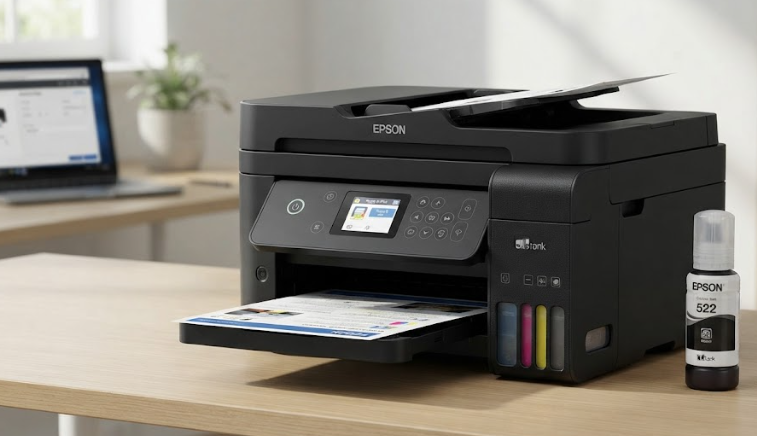
Epson Epson EcoTank ET-4800

Epson

Número 3: Epson EcoTank ET-4800

PS8.7/10

Best for a home office

The one to buy if the printer has a job rather than a corner. The document feeder alone changes what you can do with it — scanning a stack instead of a page at a time — and it is the only machine here with Ethernet. It also costs the most up front, which is exactly the number you should be ignoring: on Consumer Reports' own modelling, a $128 cartridge printer overtakes this on total cost inside the first year and keeps going.

Ventajas

  • Bottled ink costs a fraction of cartridge ink per page — the whole argument for buying a tank printer
  • Automatic document feeder and Ethernet, which the cheaper tanks here leave out
  • Fax and copy included, so it replaces an office multifunction outright

Contras

  • The highest purchase price of the three, which is the number most shoppers compare
  • Photo output is competent rather than a reason to buy it
  • Tank printers need occasional use or the print head can clog

Desde ≈€202Aproximado — el precio puede variar

Fuentes: Consumer Reports (laboratory testing and cost-of-ownership modelling) (2026-06-24) · TechRadar (standardised test across 200+ printers) (2026-07)Última revisión de Picksights: 2026-07-29

Preguntas frecuentes

¿Por qué la ET-2803 encabeza esta lista y no la ET-4800, que puntúa más alto en el ranking general?

La ET-2803 cuesta 40 $ menos, incluye aproximadamente dos años de tinta de fábrica según el fabricante, y no paga por un alimentador de documentos, fax o Ethernet que la mayoría de estudiantes no va a usar. Para el patrón de uso de un estudiante, esa diferencia de precio importa más que esas tres funciones de oficina.

¿Por qué una láser monocromo tiene sentido para un estudiante que a veces necesita color?

Porque el fallo real de una impresora de tinta en manos de un estudiante no es la falta de color — es que el cabezal se seca durante las vacaciones de verano o invierno. El tóner de la Brother HL-L2465DW no se degrada con el tiempo, así que sigue funcionando perfectamente tras meses apagada. Si necesitas color con cierta frecuencia para trabajos o pósters, la ET-2803 sigue siendo la opción más equilibrada.

¿Vale la pena pagar más por la ET-4800 en una residencia de estudiantes?

Solo si compartes la impresora entre varios compañeros y necesitas escanear pilas de apuntes con regularidad — ahí el alimentador automático de documentos sí se nota. Para uso individual, es capacidad de oficina que la mayoría de estudiantes no va a aprovechar.

¿Necesitas funciones de oficina en casa en vez de un criterio de estudiante? Consulta la mejor impresora para oficina en casa → o el ranking completo de impresoras →

También te puede interesar